A fast, powerful POS for your counter
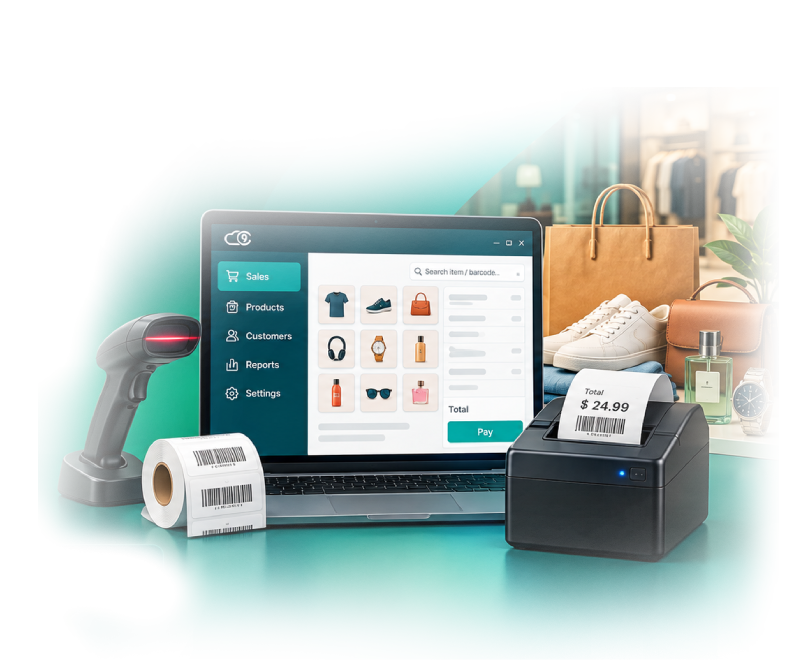
Bizsency Desk is the Windows point of sale for the shop floor. Scan, bill, print receipts, and check stock in a few taps.
Free trial No credit card needed
Everything the counter needs
Bizsency Desk is separate from the online Bizsency mobile app. Data lives in your shop database.
POS billing
Cash, card, UPI, and other methods. Hold a sale, apply coupons, and print the receipt.
Pay later
Sell on credit with a limit and due days. Customers settle old bills from their ledger.
Rate billing
Price by weight × metal rate, plus making, stone, and wastage — labels you set yourself. Update today’s rate and every linked item follows.
Items & stock
Item master, categories, stock on hand, reorder alerts, serial numbers, and expiry.
Labels
Design barcode labels with name, price, and quantity (such as 8g). Print from Windows or from an Android phone to a Bluetooth label printer.
Loyalty & coupons
Earn and redeem points, and run percent or flat coupon codes at payment.
Reports & expenses
Sales registers, GST reports, and shop expenses, exportable from the PC.
Users & backup
Admin, manager, and cashier roles. Back up and restore the shop database.
User manual
Install, POS, settings, printers, Pay later, and rate billing — the same guide that opens from Help inside the app.
Install & first login
Windows setup, default admin login, and the first-hour checklist.
POS & payments
Take payment, Pay later, coupons, and receipts.
Rate billing
Weight, shared metal rates, and extra charges for jewelry and similar trades.
Printers & labels
Bluetooth devices, receipts, and the label designer.
Get started in 3 steps
Install on Windows
Run the Bizsency Desk setup on the shop PC. PostgreSQL can be installed with it.
Sell offline
Bill at the counter. Data stays on the PC when the internet is down.
Frequently asked questions
How is Bizsency Desk different from the Bizsency mobile app?
Bizsency on Google Play is the online mobile app. Bizsency Desk is the offline Windows POS that runs on the shop computer with its own local database.
Does the counter work without internet?
Yes. Sales, stock, and receipts use the database on the shop PC. Internet is not required to bill a customer.
Can a jewelry shop change the gold rate every day?
Yes. Set a shared rate such as Metal Rate, link each piece to it, then update the amount on Daily rates. Unsold items pick up the new price. Bills already sold stay as they were.
Where is the user manual?
The manual is at c9infotech.com/Bizsency/user_manual. The same site opens from Help inside Bizsency Desk.
Start your free trial
Download Bizsency Desk for Windows. Free trial — no credit card needed.
Free trial No credit card needed